Bifrost KVM Access

KVM Access
Beyond Remote Desktop

Gain physical control and process data On-Premise with Bifrost KVM Access – Secure and reliable Remote Access to your Critical Infrastructure without exposing any endpoints to the Internet.

Remote Access as it should be

Rethink Remote
Desktop

In the past, Remote Access Software and VPN connections were the go-to solutions for Remote Access to both IT and OT equipment. They were considered secure and sufficient for accessing devices in isolated networks. However, times have changed.

With the increasing threat of cybercrime and the fusion of IT and OT, these tools are no longer suitable for secure Remote Access to critical infrastructure equipment. They lack the necessary security measures to protect against advanced threats and cannot reach specialized devices in offline scenarios or before the operating system is successfully booted. This creates significant vulnerabilities in critical systems and jeopardizes business continuity.

Imagine if you could establish remote access to air-gapped equipment without exposing it to the internet and ensuring no data leaves your network perimeter.

Image link

Eliminate attack surfaces and ensure Business Continuity

Grant Endpoint Access
Connect Users to specific endpoints without VPN or network connection.
Keep Endpoints Air-gapped
Ensure that operations are processed locally and data never leaves the perimeter.
Boost User Experience
Provide easy access without extensive setup, configuration, or expert knowledge.
Support GPC Devices
Support GPC Devices
Get secure access to General-purpose Computing Devices regardless of device type.

Image link

Reach All Your GPC Devices

Say goodbye to complicated remote access solutions. With BifrostConnect KVM Access, providing Remote Access to authorized IT specialists has never been easier. Simply connect the Bifrost Unit to your General-purpose Computing Device and watch as remote operators control your equipment as if they were in front of it.

KVM Access behaves like a second screen, keyboard, and mouse, providing instant and secure access to your IT equipment. There’s no need for software installations, and
once authenticated, your equipment is virtually teleported into your trusted specialists’ hands within seconds.

Get instant hands-on:

  • Computers & Servers
  • Industrial PCs
  • Mobile & Tablets

Plug & Fix

No training necessary. Just connect the Bifrost Unit to the device and let the remote specialist fix the problem.

Endpoint

Image link
User:
On-site Staff
Action:
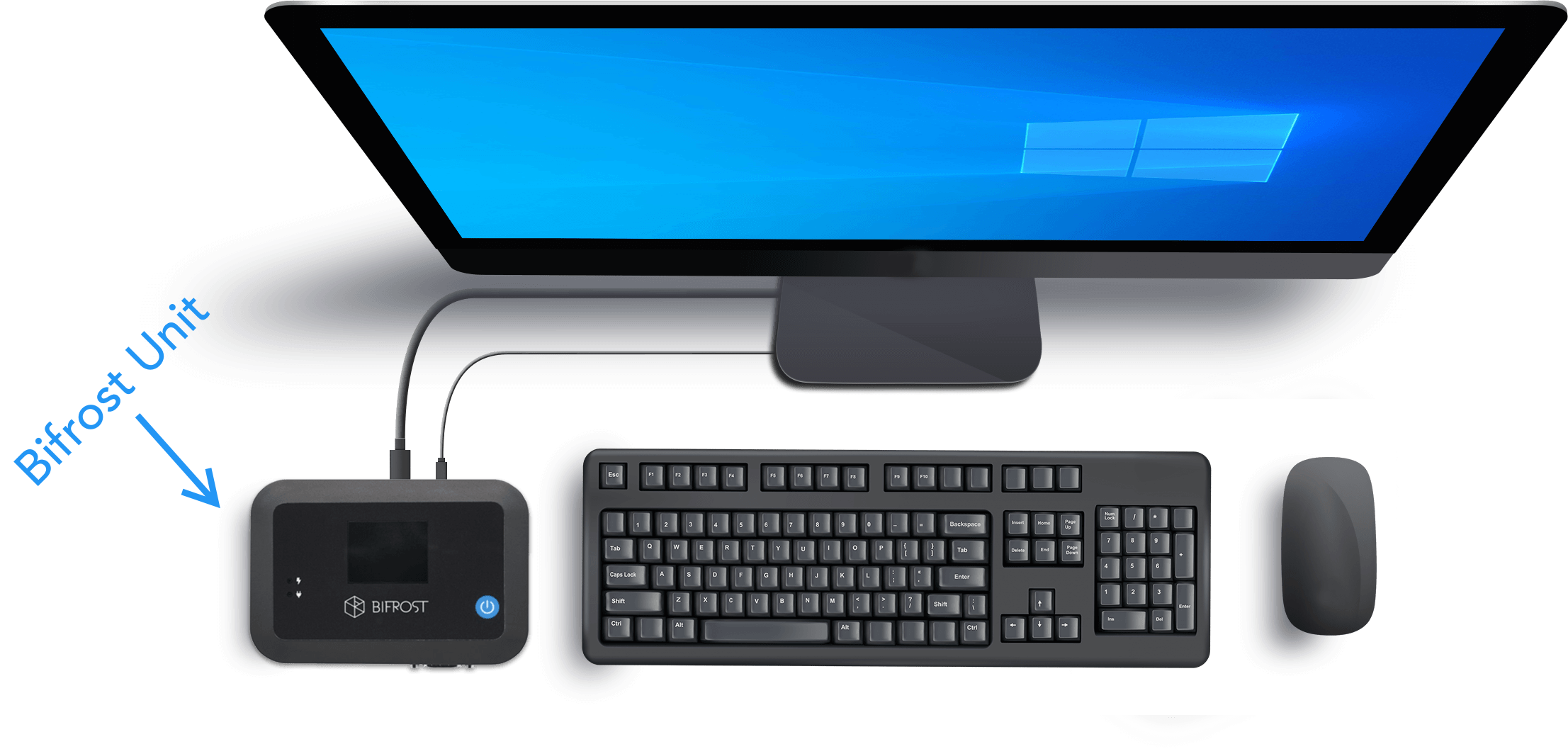
Prepare the endpoint for Remote Access by connecting the device to the Bifrost Unit.
Result:
The endpoint recognizes the Bifrost Unit as a keyboard, external screen, and mouse.

MFA Interface

Image link
User:
Remote Operator
Action:
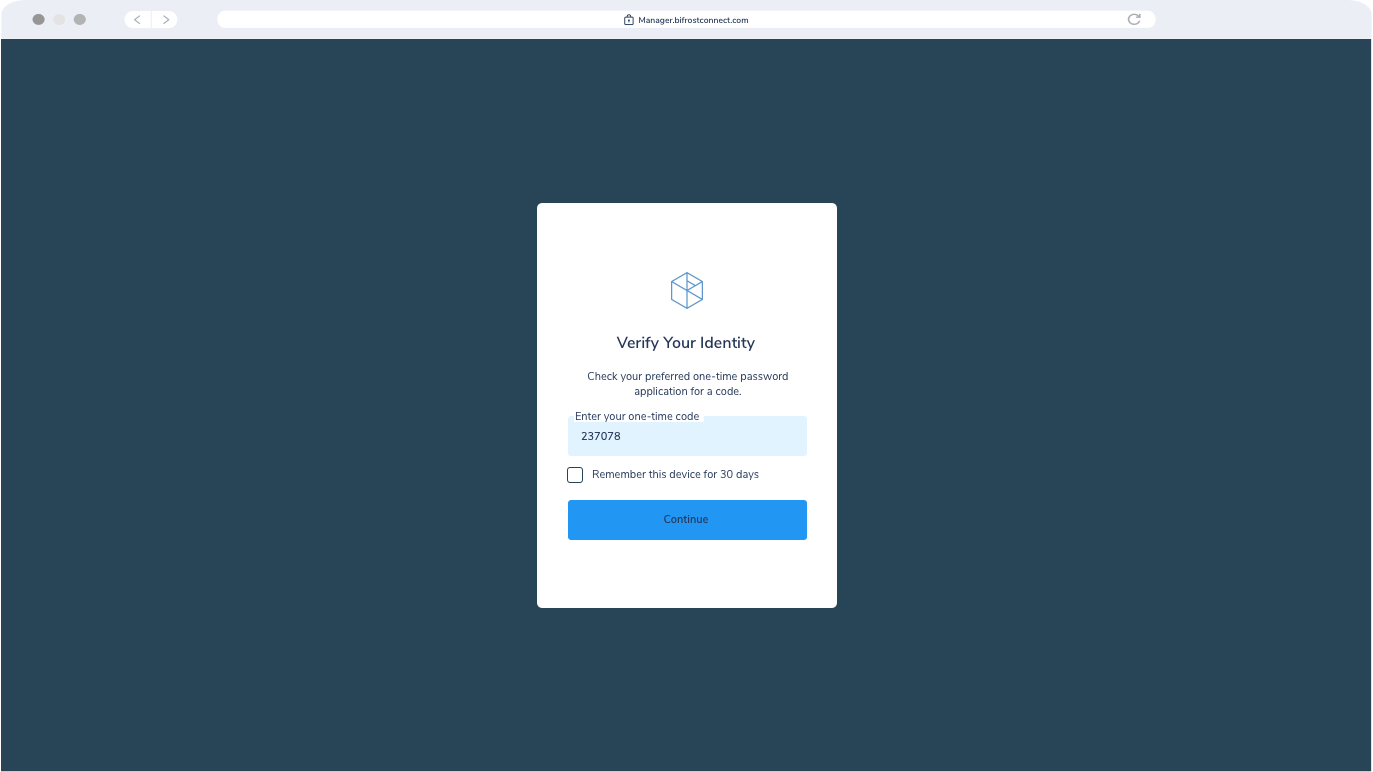
Authenticate via Multi-Factor Authentication (“MFA”).
Result:
The Authenticator service validates the Operator’s right to enter the Interface or Manager and the Operator’s right to access the specific Bifrost Unit.

KVM Interface

Image link
User:
Remote Operator
Action:
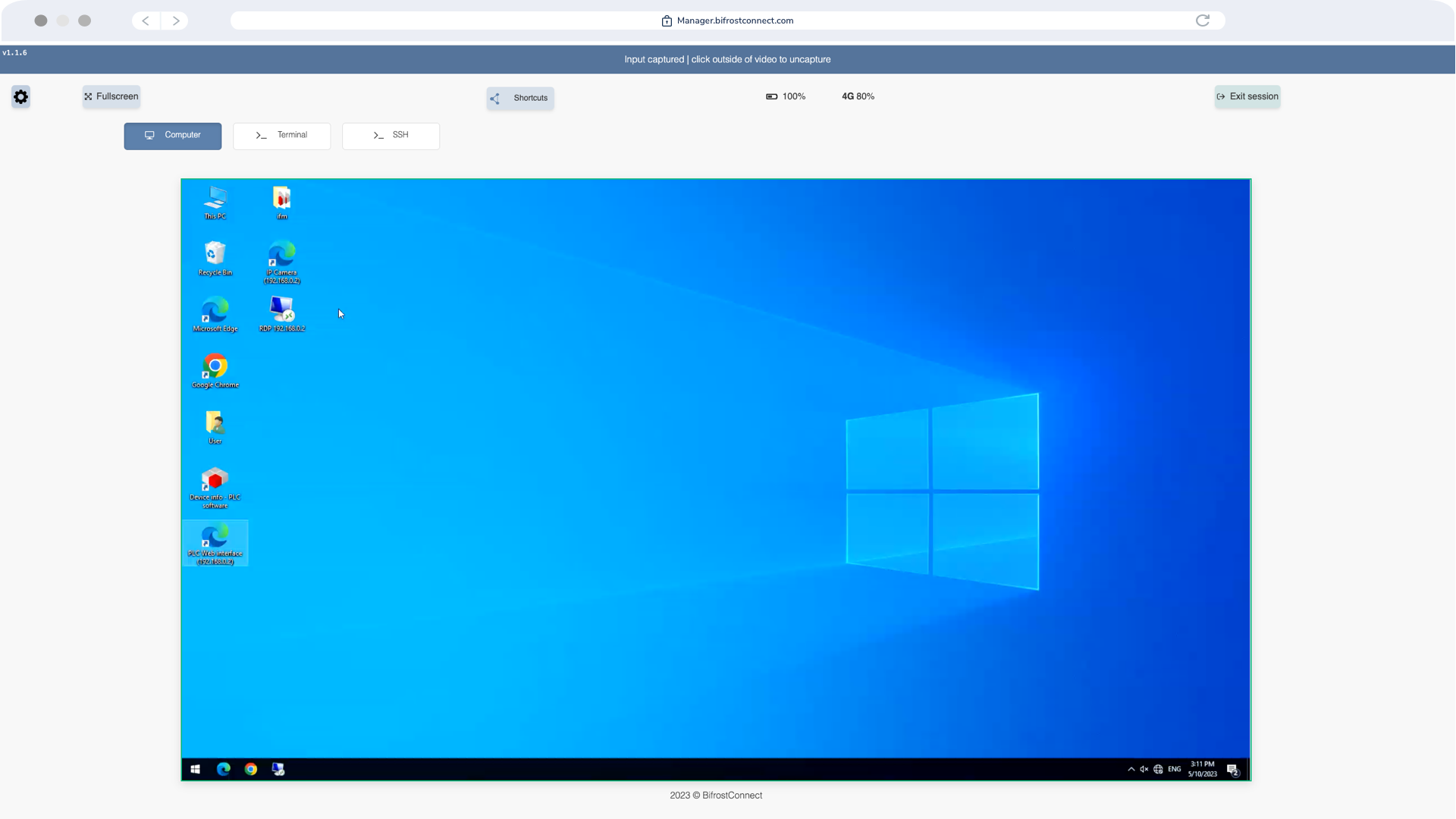
Control the endpoint with on-site capabilities and user rights.
Result:
The Bridge service establishes an end-to-end encrypted session between the Unit and the Interface.

Session Terminated

Image link
User:
On-site Staff or Remote Operator
Action:
Terminate the session upon completion. Optional: Disconnect the Bifrost Unit.
Result:
If the Operator wishes to reconnect, a new session with valid authentication is required.

When is KVM Access the perfect match?

If you want to gain physical control of the endpoint and process data onpremise, this solution is for you.

Commissioning
Set up and configure new devices out-of-the-box. No matter the location, BifrostConnects enables you to remote control your new equipment from the moment you turn it on for the first time.
Support & Maintenance
Support and maintain your devices with minimal friction for your end-user. Boost your response times and “Mean Time to Repair” ratios by providing instant hands-on capabilities for IT professionals.
Field Service Support
Carry the assistance in your pocket. Provide on-site technicians with an instant lifeline to any specialist back home.
Incident Response
Get in front of the infected offline equipment immediately and establish a secure environment where you can analyze, respond, and recover from the incident.

How it works

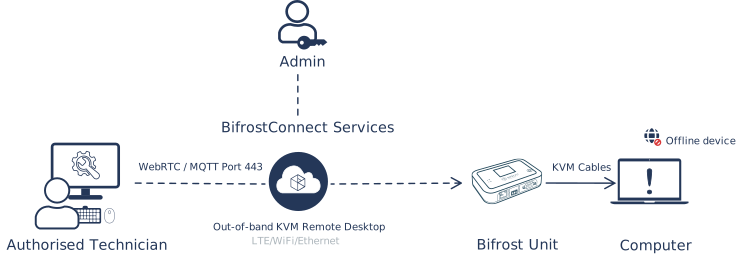
With BifrostConnect KVM Access, you can get in front of the problem instantly without accessing the company's network or exposing the endpoint to the internet. Our solution provides secure remote access to your air-gapped environment without compromising your security perimeter.

BifrostConnect isolates endpoints from the internet, making them invisible to unauthorized access while ensuring no data leaves your network perimeter. This minimizes attack surfaces and reduces the risk of cyber attacks.

Image link
Direct Native Access

Direct Native Access consists of the KVM, Serial Terminal, and SSH session types. They leverage standard I/O communication protocols, thus eliminating the need for driver installations when interfacing with a Bifrost Unit. In situations where the Bifrost Unit uses in-band internet connections via LAN, the network connected to the unit cannot be modified or controlled, as the unit solely uses the network to establish a connection to BifrostConnect Services and necessitates DHCP or a static IP.

Initiating a Direct Native Access Session requires the privileged user to authenticate via a multifactor-protected web interface, as detailed in the Session Authentication section. Any operation performed during a Direct Native Access Session is processed locally, ensuring data never leaves the security perimeter.

BifrostConnect does not grant the operator additional user rights beyond those conferred by the organization’s internal IT administration or security policies. For example, the operator must authenticate using their credentials if a remote device is password-protected during login or bootup.

The USB Key Storage Emulation feature, available during Direct Native Access Sessions, permits operators to mount the Bifrost Unit’s 6GB internal storage (up to 28 GB option) as a USB Key for transferring files from the storage to the endpoint. However, Direct Native Access Sessions do not support direct remote file transfers. The Bifrost Unit’s internal storage is compatible with local encryption tools like BitLocker(Only via local USB connection). File transfers are possible if the organization has implemented either the Direct File Transfer or Offline File Transfer products and the feature is enabled during the session.

Each session type can be illustrated as follows: 


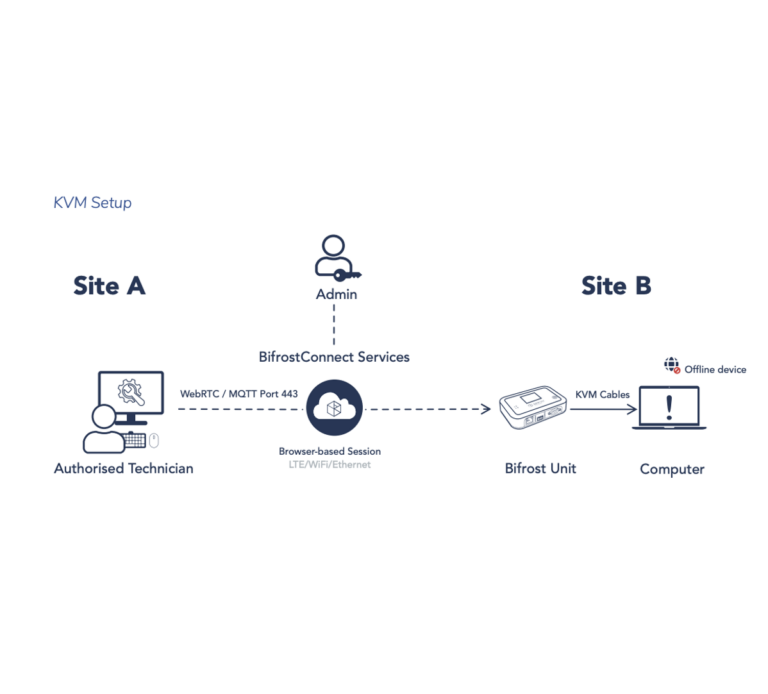
KVM setup:
Diagram of a Direct Native Access KVM session where an authorized technician connects through BifrostConnect Services to a Bifrost Unit at a remote site. The unit is linked via KVM cables to an offline computer, allowing remote keyboard, video, and mouse control over an encrypted WebRTC session.
Directive Native Access Setup 1: KVM Access Sessions facilitate the transmission of keyboard, video and mouse (KVM) I/O signals.

Learn more about our security documentation on this page:

BifrostConnect Security Documentation

A Unified Remote Access Platform

Together as a suite, the BifrostConnect Solution gives you unmatched flexibility in tailoring your Zero Trust Access and scaling up your existing setup.

Secure

Versatile

Plug and Play